Ever wondered how top tech teams deploy code in seconds, not days? The secret lies in mastering Azure and DevOps. This dynamic duo is revolutionizing software delivery by blending cloud power with automation brilliance.
Understanding Azure and DevOps: A Modern Development Powerhouse

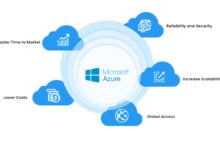
The fusion of Azure and DevOps represents a paradigm shift in how software is built, tested, and deployed. Microsoft Azure, a leading cloud computing platform, provides the infrastructure, while DevOps—a cultural and technical approach—ensures seamless collaboration between development and operations teams. Together, they create a robust ecosystem for continuous integration and continuous delivery (CI/CD).
What Is Azure?
Azure is Microsoft’s comprehensive cloud platform offering over 200 services, including computing, storage, networking, databases, AI, and IoT. It supports multiple programming languages, frameworks, and operating systems, making it a flexible choice for enterprises and startups alike. With data centers in over 60 regions globally, Azure ensures high availability and low latency.
- Compute services like Virtual Machines and Azure Functions
- Storage solutions such as Blob Storage and Azure Files
- Networking tools including Virtual Networks and Load Balancers
Azure’s pay-as-you-go model allows businesses to scale resources dynamically, reducing costs and increasing efficiency. For more details, visit the official Azure website.
What Is DevOps?
DevOps is not a tool or software—it’s a philosophy. It emphasizes collaboration, automation, monitoring, and rapid feedback loops between developers and IT operations. The goal? To shorten the development lifecycle and deliver high-quality software faster.
- Core practices include CI/CD, infrastructure as code (IaC), and automated testing
- Tools like Jenkins, Docker, Kubernetes, and GitHub Actions support DevOps workflows
- Cultural shift toward shared responsibility and transparency
“DevOps is about breaking down silos and building bridges between teams.” — Jez Humble, co-author of Continuous Delivery
Why Azure and DevOps Are a Perfect Match
The integration of Azure and DevOps is more than just convenient—it’s transformative. Azure natively supports DevOps principles through its Azure DevOps Services, enabling teams to manage the entire software lifecycle in one unified environment.
Seamless Integration with Azure DevOps Services
Azure DevOps Services (formerly Visual Studio Team Services) is a suite of tools that includes Boards, Repos, Pipelines, Test Plans, and Artifacts. These tools are designed to work seamlessly within the Azure ecosystem.
- Boards: Agile project management with Kanban and Scrum support
- Repos: Git-based source control for collaborative coding
- Pipelines: CI/CD automation for any language and platform
With Azure Pipelines, you can deploy applications to Azure, AWS, or on-premises servers, making it a versatile choice for hybrid environments. Learn more at Azure DevOps official site.
Unified Platform for End-to-End Development
One of the biggest advantages of using Azure and DevOps together is the elimination of toolchain fragmentation. Instead of juggling multiple platforms, teams can manage code, build pipelines, run tests, track bugs, and monitor deployments—all from a single portal.
- Real-time collaboration across global teams
- Integrated security and compliance checks
- Automated reporting and dashboarding
This unified experience reduces context switching and accelerates delivery cycles.
Key Benefits of Implementing Azure and DevOps
Organizations adopting Azure and DevOps report significant improvements in speed, reliability, and team productivity. Let’s explore the top benefits driving this adoption.
Accelerated Time-to-Market
By automating builds, tests, and deployments, Azure and DevOps drastically reduce manual errors and bottlenecks. Teams can release updates multiple times a day instead of waiting weeks or months.
- Automated CI/CD pipelines trigger on every code commit
- Rollbacks are fast and reliable due to versioned deployments
- Feature flags allow gradual rollouts and A/B testing
For example, a fintech company using Azure Pipelines reduced deployment time from 4 hours to under 15 minutes.
Improved Collaboration and Transparency
Azure Boards and integrated chat tools (like Microsoft Teams) foster better communication between developers, testers, and operations staff. Everyone has visibility into task progress, bugs, and deployment status.
- Work items are linked to code commits and builds
- Real-time dashboards show sprint progress and pipeline health
- Automated notifications keep stakeholders informed
“Transparency builds trust, and trust enables speed.” — Gene Kim, author of The Phoenix Project
Enhanced Security and Compliance
Security is built into the Azure and DevOps workflow through features like role-based access control (RBAC), audit logs, and secret management.
- Pipelines can include security scanning tools (e.g., SonarQube, OWASP ZAP)
- Infrastructure as code (IaC) ensures consistent, auditable environments
- Compliance frameworks like ISO 27001 and HIPAA are supported
Azure Policy and Azure Security Center further strengthen governance across cloud resources.
Core Components of Azure DevOps Services
To fully leverage Azure and DevOps, it’s essential to understand the five core components of Azure DevOps Services. Each plays a critical role in the software development lifecycle.
Azure Boards: Agile Project Management
Azure Boards provides powerful tools for planning, tracking, and discussing work across teams. It supports Scrum, Kanban, and custom workflows.
- Create user stories, tasks, and bugs with custom fields
- Visualize progress with dashboards and burndown charts
- Integrate with Jira, Trello, and Excel for migration ease
Teams can use queries to filter work items and generate reports for stakeholders.
Azure Repos: Git-Based Source Control
Azure Repos offers unlimited private Git repositories with advanced branching, pull requests, and code review features.
- Pull requests enforce code quality with required reviewers and status checks
- Branch policies prevent broken code from merging into main
- Seamless integration with IDEs like Visual Studio and VS Code
Unlike public GitHub, Azure Repos keeps code private by default, ideal for enterprise use.
Azure Pipelines: CI/CD Automation
Azure Pipelines is the engine behind automated software delivery. It supports YAML-based configurations for maximum flexibility.
- Build and test code on Windows, Linux, or macOS agents
- Deploy to Azure App Service, Kubernetes, VMs, or third-party clouds
- Use deployment groups for on-premises or hybrid scenarios
With parallel jobs and self-hosted agents, teams can scale CI/CD to meet demand. Explore pipeline examples at Microsoft Learn.
Setting Up Your First Azure and DevOps Project
Getting started with Azure and DevOps is straightforward. Follow these steps to create your first project and set up a basic CI/CD pipeline.
Step 1: Create an Azure DevOps Organization
Visit dev.azure.com and sign in with your Microsoft account. Click “New Organization” and follow the prompts to set up your workspace.
- Choose a unique organization name
- Select your region for data residency
- Invite team members via email
You’ll get a URL like https://dev.azure.com/yourorg.
Step 2: Initialize a Project with Repos
Once your organization is created, click “New Project.” Name it, choose visibility (public or private), and initialize it with a README and .gitignore.
- Clone the repository to your local machine using Git
- Add your application code and commit changes
- Push the code to the remote repository
This sets the foundation for version-controlled development.
Step 3: Configure a CI Pipeline
Navigate to “Pipelines” and click “Create Pipeline.” Choose your code source (Azure Repos, GitHub, etc.), select your repository, and opt for YAML configuration.
- Azure will detect your project type (Node.js, .NET, Python, etc.)
- It generates a starter YAML file with build steps
- Customize the pipeline to run tests and publish artifacts
Save and run the pipeline. Every future commit will trigger an automated build.
Advanced DevOps Practices on Azure
Once you’ve mastered the basics, it’s time to level up with advanced Azure and DevOps techniques that drive enterprise-grade reliability and scalability.
Infrastructure as Code (IaC) with ARM and Bicep
Managing cloud infrastructure manually is error-prone. Azure Resource Manager (ARM) templates and Bicep (a simpler DSL) allow you to define infrastructure in code.
- Define VMs, networks, and databases in declarative files
- Deploy consistently across dev, test, and production
- Version control your infrastructure like application code
Bicep compiles to ARM JSON and is easier to read and maintain. Learn Bicep at Microsoft’s Bicep documentation.
Blue-Green and Canary Deployments
To minimize downtime and risk, use advanced deployment strategies in Azure Pipelines.
- Blue-Green: Run two identical environments; switch traffic after testing
- Canary: Gradually roll out updates to a subset of users
- Use Azure Traffic Manager or Application Gateway for routing
These strategies are essential for high-availability applications.
Monitoring and Feedback Loops with Azure Monitor
DevOps isn’t complete without observability. Azure Monitor collects logs, metrics, and traces from your applications and infrastructure.
- Set up alerts for CPU usage, error rates, or response times
- Use Application Insights for deep code-level diagnostics
- Visualize data with custom dashboards
Feedback from monitoring can trigger automated rollbacks or scaling actions.
Real-World Use Cases of Azure and DevOps
From startups to Fortune 500 companies, organizations are leveraging Azure and DevOps to solve real business challenges.
Case Study: Global Retailer Modernizes with CI/CD
A multinational retailer migrated its legacy e-commerce platform to Azure. Using Azure DevOps, they implemented CI/CD pipelines that deploy updates 50+ times per day.
- Reduced deployment failures by 70%
- Improved site uptime to 99.99%
- Enabled faster feature delivery during peak seasons
The team used feature flags and automated testing to ensure stability.
Case Study: Healthcare Provider Ensures Compliance
A healthcare organization needed HIPAA-compliant deployments. They used Azure Policy and Azure DevOps to enforce security controls in every pipeline.
- Automated scanning for PII (Personally Identifiable Information)
- RBAC ensured only authorized personnel could approve releases
- Audit logs provided full traceability for compliance audits
This approach reduced compliance review time from weeks to hours.
Case Study: SaaS Startup Scales Rapidly
A SaaS startup used Azure and DevOps to scale from 10 to 10,000 customers in 18 months. They automated everything—from provisioning to monitoring.
- Self-hosted agents handled high-load builds
- Auto-scaling VMs adjusted to user demand
- Continuous feedback from users shaped product development
Their agility became a competitive advantage.
Common Challenges and How to Overcome Them
While Azure and DevOps offer immense benefits, teams often face hurdles during adoption. Here’s how to tackle them.
Resistance to Cultural Change
DevOps requires breaking down silos between teams. Developers may resist operations tasks, and ops teams may fear losing control.
- Start with small pilot projects to demonstrate value
- Provide training on DevOps principles and tools
- Leadership must champion the cultural shift
Success breeds adoption—show quick wins to gain buy-in.
Complexity of Pipeline Configuration
YAML pipelines can become complex, especially with multiple environments and approvals.
- Use templates to standardize common steps
- Break pipelines into stages for clarity
- Document pipeline logic for onboarding new members
Azure’s pipeline editor with IntelliSense helps reduce syntax errors.
Cost Management in Azure
Unmonitored resource usage can lead to unexpected bills.
- Use Azure Cost Management to track spending
- Set budgets and alerts for cost thresholds
- Automate shutdown of non-production environments
Regularly review and clean up unused resources.
What is the difference between Azure DevOps and GitHub?
Azure DevOps is a complete suite for project management, CI/CD, and source control, while GitHub focuses primarily on Git repositories and code collaboration. However, Microsoft owns both, and they integrate well—GitHub can be used as a source for Azure Pipelines.
Can I use Azure DevOps for non-Microsoft technologies?
Absolutely. Azure DevOps supports any language, framework, or platform. You can build and deploy Python, Node.js, Java, or even legacy applications. Pipelines run on Linux, macOS, and Windows agents.
Is Azure DevOps free?
Yes, Azure DevOps offers a free tier with unlimited private repos for up to 5 users. Additional users and parallel jobs require paid plans. Azure services are billed separately based on usage.
How secure is Azure DevOps?
Very secure. It includes enterprise-grade security features like two-factor authentication, encryption at rest and in transit, audit logs, and compliance with standards like GDPR, ISO 27001, and SOC 2.
What is the best way to learn Azure and DevOps?
Start with Microsoft Learn’s free modules on Azure and DevOps. Build hands-on projects, join the Azure DevOps community, and experiment with sample repositories. Certifications like AZ-400 (DevOps Engineer Expert) validate your skills.
Mastering Azure and DevOps is no longer optional—it’s essential for staying competitive in today’s fast-paced digital landscape. From automating deployments to enhancing team collaboration and ensuring security, this powerful combination delivers tangible business value. Whether you’re a startup or an enterprise, the strategies outlined here provide a clear roadmap to success. Start small, iterate fast, and let Azure and DevOps transform the way you deliver software.
Further Reading:
